adding hotmail (or other services) for mailto links in firefox
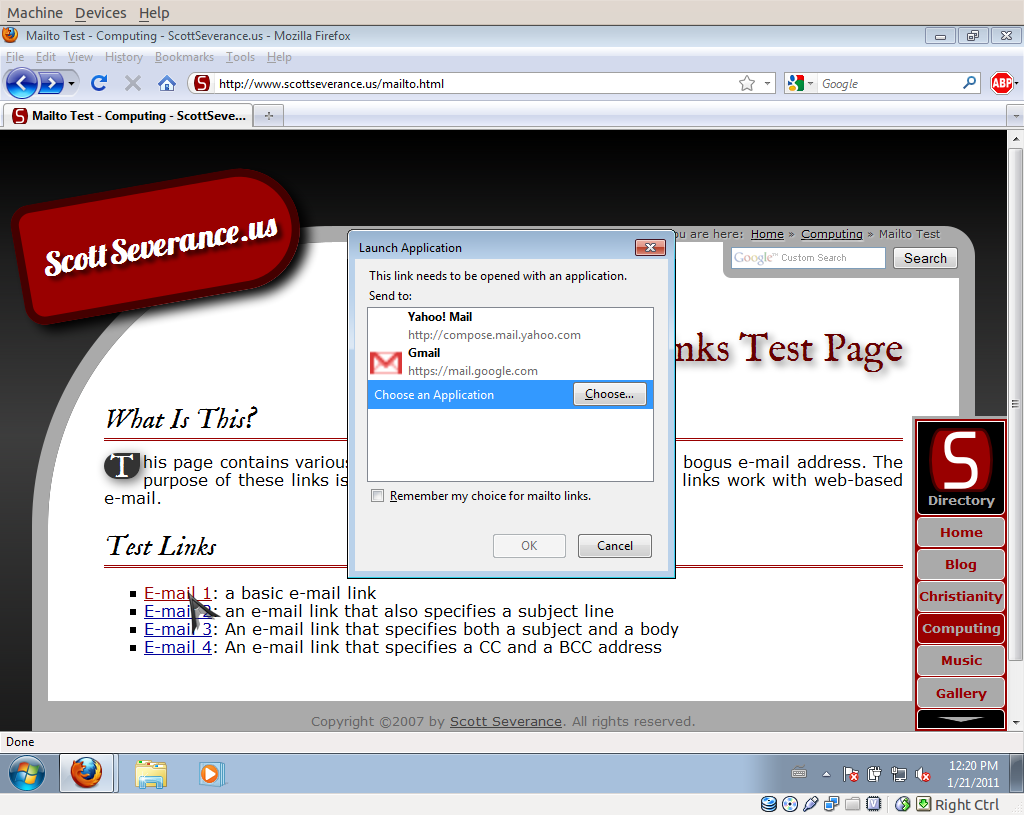
Firefox gives you an option for how you want to handle mailto links. The problem is, by default, you are only given options for two web services: yahoo and gmail.
If you’d like to use another service, you’ll have to add it manually. This, as it turns out, is no big deal. The steps below will show you how to add Hotmail as an option for mailto links in Firefox:
Open another tab or window, and in the address bar type: about:config. In the screen that appears, click the button acknowledging that you’ll “be careful”.
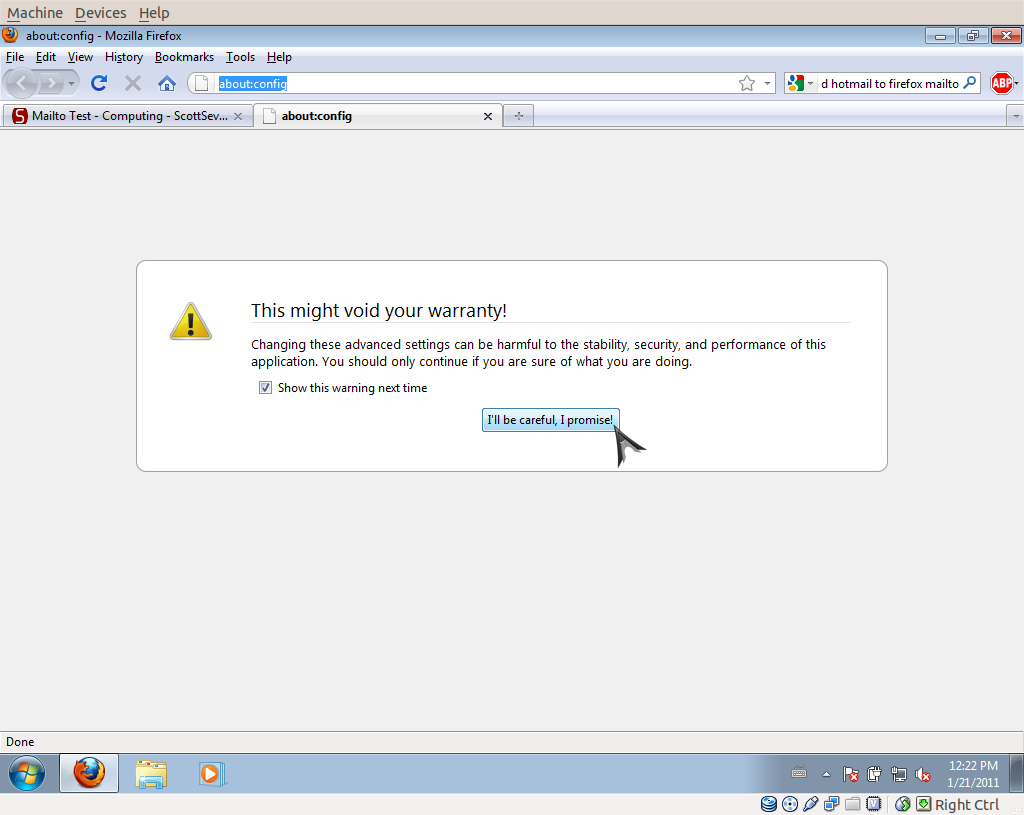
Now, in the text box alongside “Filter:” type in gecko, and then double-click the first result that reads “gecko.handlerService.allowRegisterFromDifferentHost” so that it is set to “true” on the right.
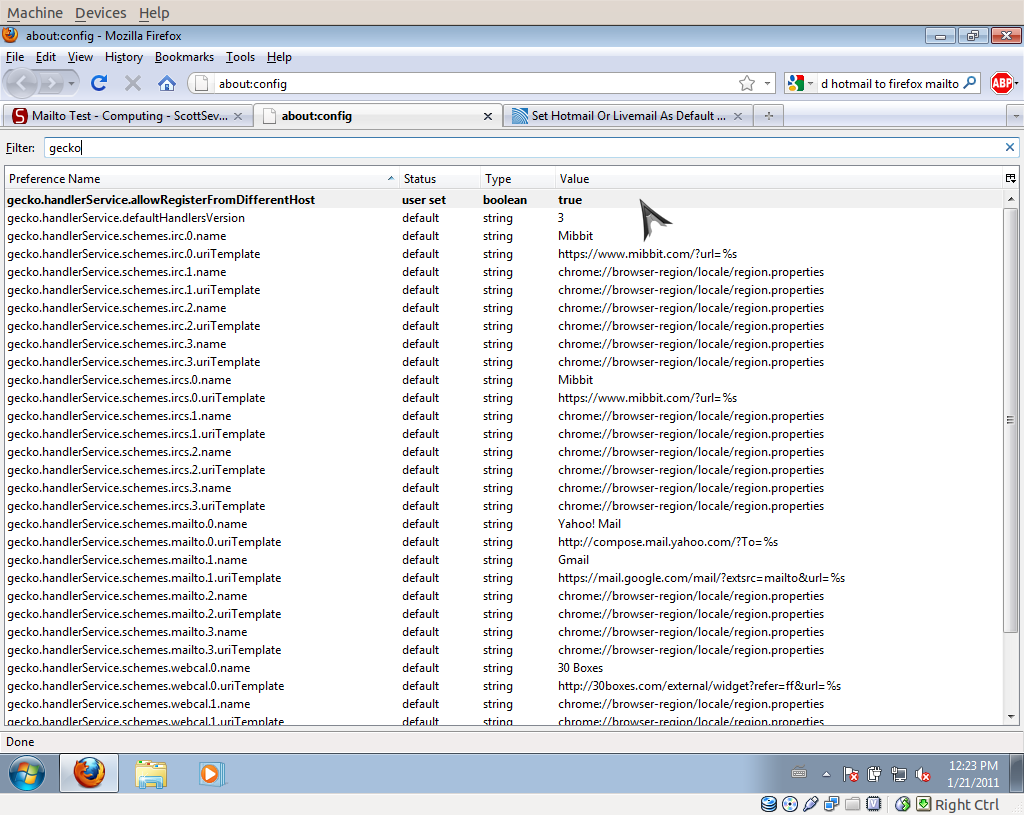
Close the about:config window or tab and open a fresh one.
From there copy and paste the following into the address bar (inserting javascript into the address bar has been disabled in newer version of Firefox, instead you must hit ctrl+shift+k and use the box that appears), then hit the enter key:
javascript:window.navigator.registerProtocolHandler("mailto","http://hotmail.msn.com/secure/start?action=compose&to=%s","Hotmail")Firefox will ask for confirmation, so go ahead and click the button that reads “Add Application”.
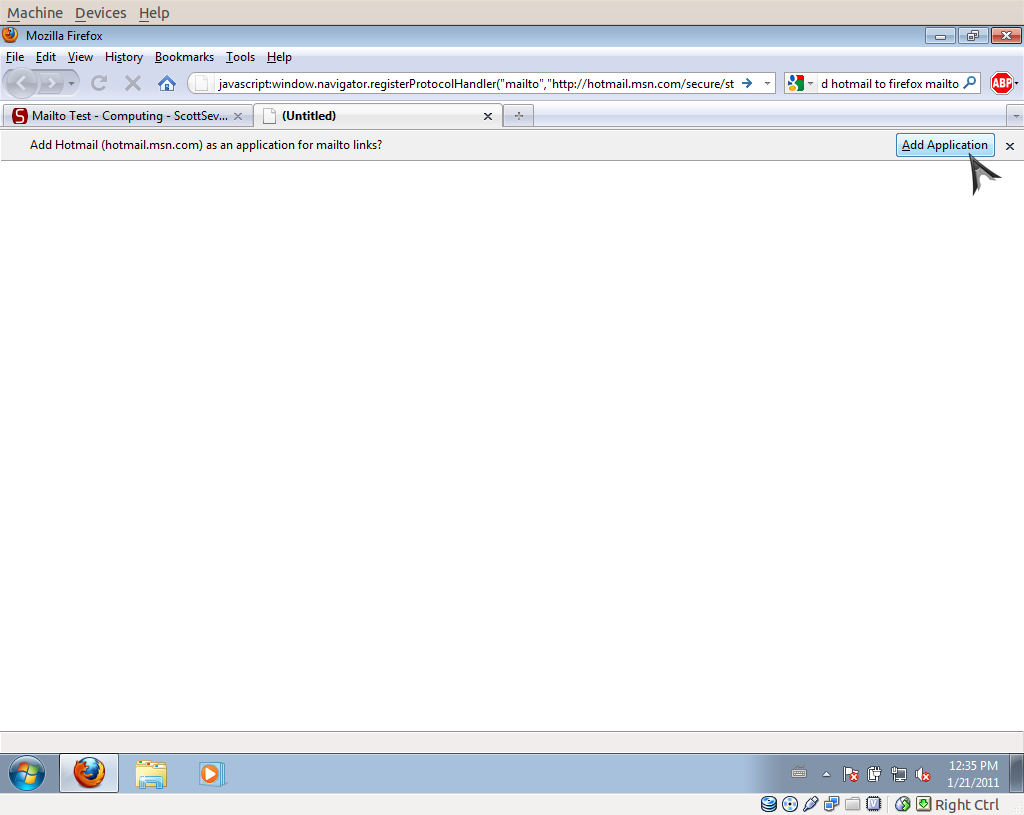
That’s all there is to it. Now mailto links will give you the option to use Hotmail.
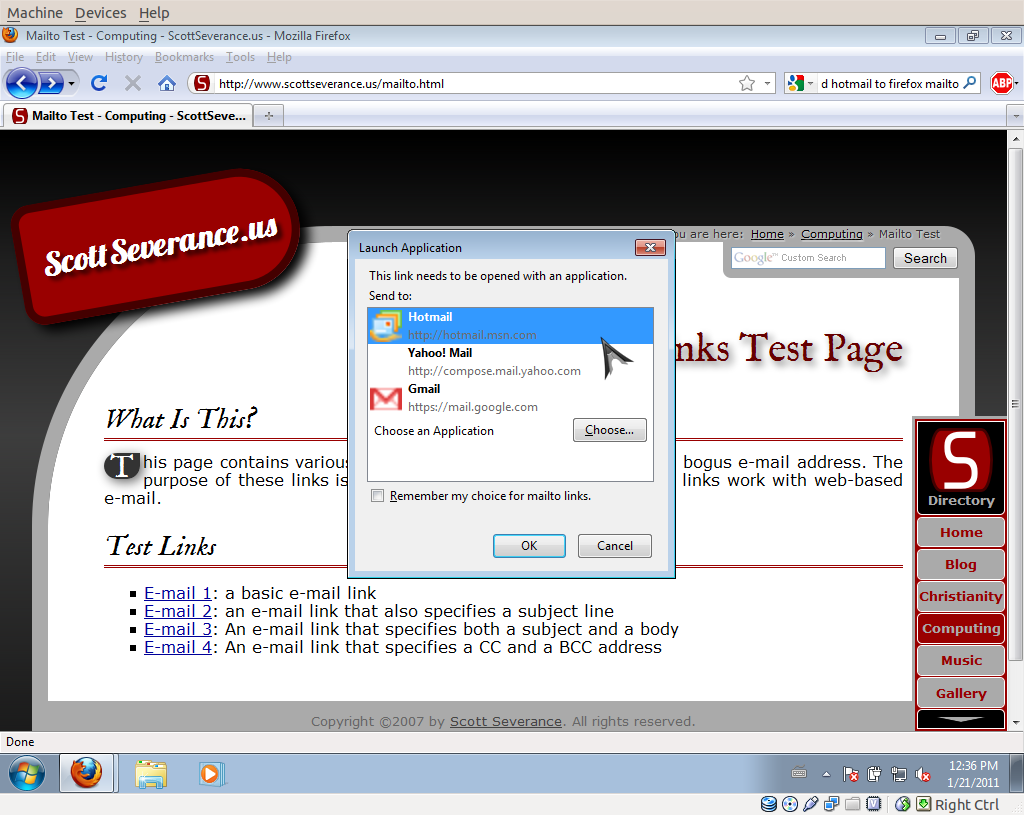
[If you have already selected a default service, then you may not see the above prompt. You’ll need to adjust your Firefox Preferences. Under the Applications tab set mailto links to “Always ask”.]